A suitable source
Upload one well-exposed PNG, JPEG, or WebP with a clear subject and visible edges.
Enhance workflow
Upscale an image at 2× or 4× and compare the output dimensions.
Preview inputs first. The selected model and credit quote are shown before a paid request.
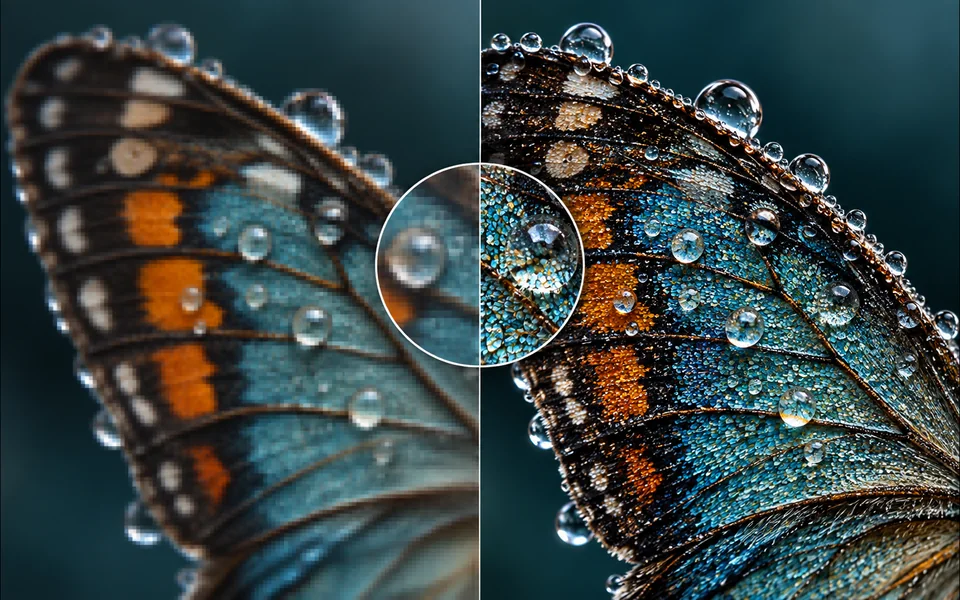
Site-owned example
AI Image Upscaler example showing the intended workflow result
Controls that match the task
Only the inputs that affect this workflow are shown.
Clear before you run
Model, availability, limits, and paid cost stay visible.
A usable result
Preview the output, then download or continue editing.
Working area
Upload one well-exposed PNG, JPEG, or WebP with a clear subject and visible edges. The result panel stays beside the controls on large screens and moves below them on smaller devices.
AI Image Upscaler
Configure the input
Local previews and exports do not start a paid generation. Paid operations show their model and credit quote before submission.
Result preview
Inspect the output before downloading or continuing.
Upload your own file above. The workspace stays compact until an image is ready.
Designed around the result
Upscale an image at 2× or 4× and compare the output dimensions. The workflow is organized around a usable output, not a decorative demo.
Upload one well-exposed PNG, JPEG, or WebP with a clear subject and visible edges.
Use the highest-quality original available; avoid screenshots with compression artifacts. Settings remain visible so the result can be repeated or adjusted.
A processed image with an immediate preview and the appropriate downloadable file.
A predictable workflow
Each stage answers a practical question before the next action is available, so you can spot a wrong input before spending time or credits.
Upload one well-exposed PNG, JPEG, or WebP with a clear subject and visible edges.
Choose only the model, dimensions, mask, style, or layout controls relevant to this task.
Confirm the visible credit quote and the details that must remain unchanged before submitting.
Check edges, text, identity, product details, and output size, then download or move to the next editing tool.
Practical answers
Upload one well-exposed PNG, JPEG, or WebP with a clear subject and visible edges.
Uploading and preparing the request do not charge credits. A paid operation shows its model and credit quote before submission.
A processed image with an immediate preview and the appropriate downloadable file.
Hair, glass, reflections, motion blur, and low-contrast edges may require cleanup after automatic processing.
Keep creating
Ready when you are